A calm to-do app for the Mac
Plan your day, drag tasks across a board, and keep your list in step across your Macs. Free, private, and there is no account to make.
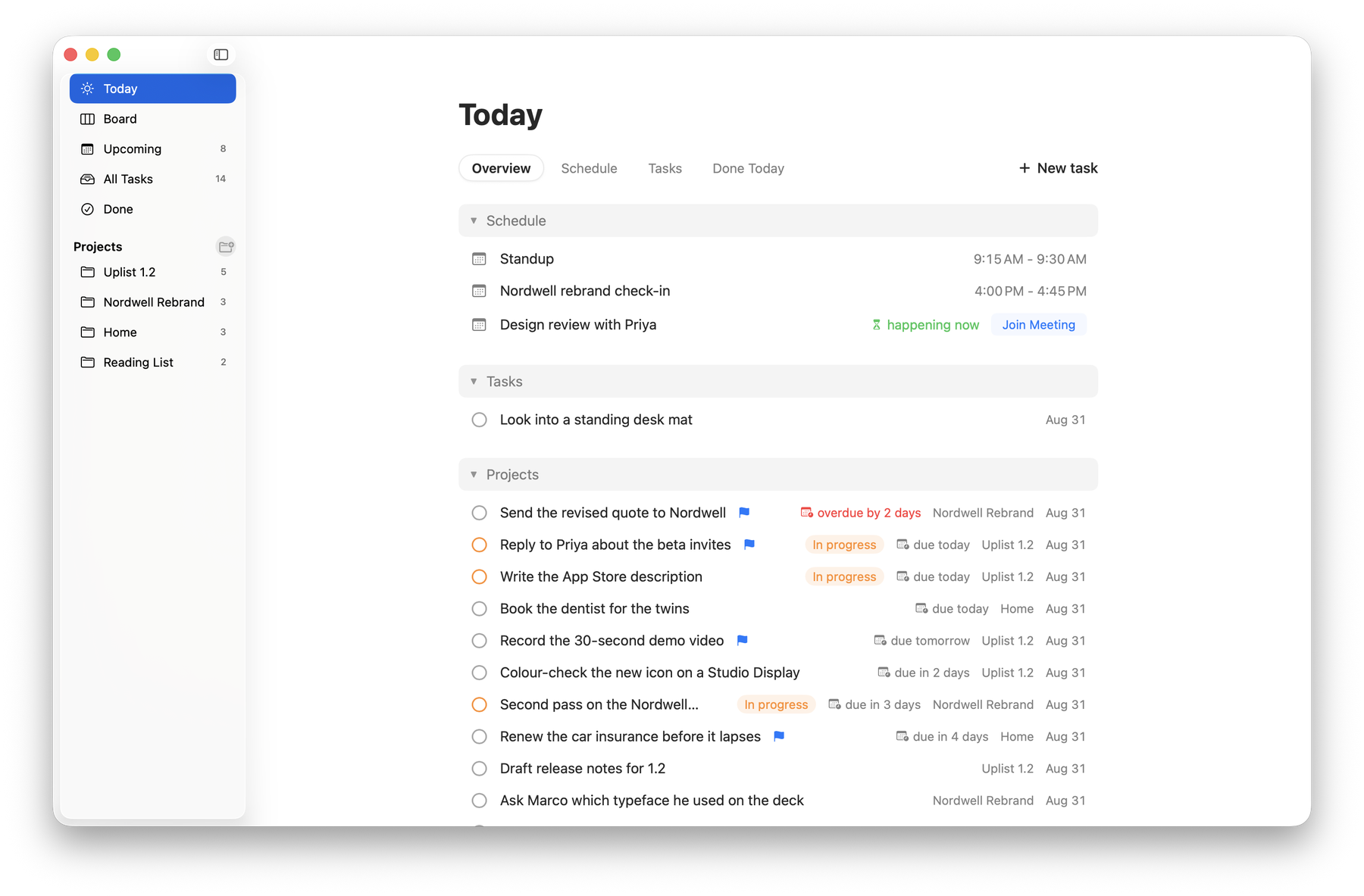
Your whole day on one screen
Meetings and tasks together, instead of in two different apps.
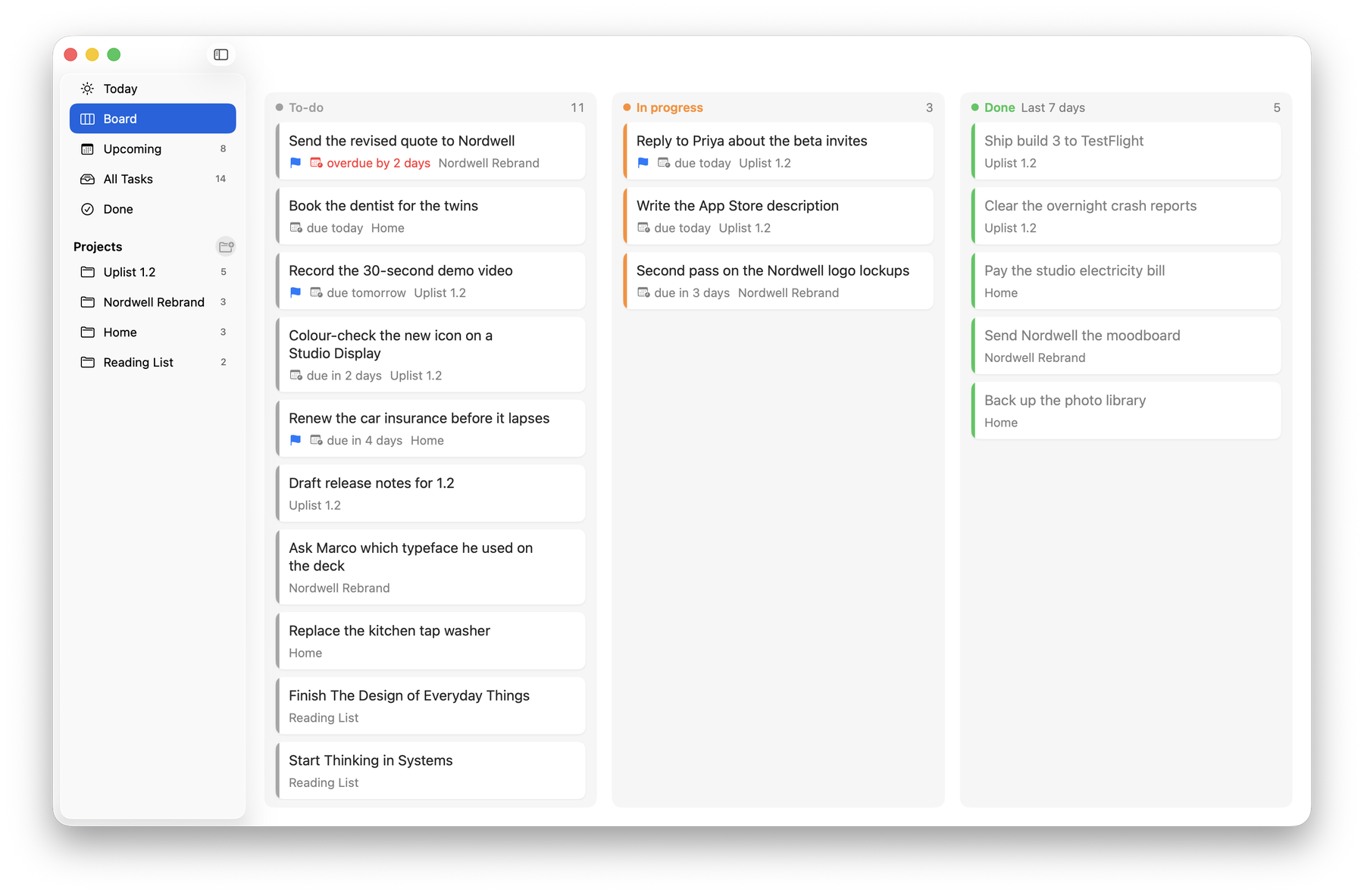
A board you can drag
To-do, In progress, Done. The Done column shows the last seven days, so it stays a record rather than a pile.
Projects
Client work in one list, home in another, everything in a third when you want it.
Dates in plain words
“Overdue by 2 days”, “due tomorrow” — not a date you have to decode.
Your list on every Mac
Optional iCloud sync. If two Macs disagree, both versions are kept and you are told.
Yours to look at
Light or dark, three text sizes, and your own colours for each status.
Private because of how it is built
Uplist has no network access at all — not for analytics, not for crash reports, not for anything. There is no server to send your tasks to, because the app cannot reach one. Your data stays on your Mac, and in your own iCloud account if you turn sync on.
Apple Intelligence, on macOS 26
On a Mac running macOS 26 with Apple Intelligence available, Uplist can explain what a vaguely worded task actually involves, and summarise what you finished. It runs on your Mac. If your Mac does not support it, the feature simply is not there and nothing else changes.
Coming to the Mac App Store.
Free — no subscription, no locked features, no in-app purchases. Requires macOS 14 or later.